
VoiceOverStudioAI | Kling AI Video Generation Guide & Tutorials
Kling AI video generation guide: text-to-video, image-to-video, camera control, and production workflows. Create cinematic clips with Kling 3.0 in seconds.
Kling AI · Video Generation
Generate stunning video clips from text or images with Kling 3.0—fast, expressive, and scalable for creators, brands, and agencies.
- Text-to-video with Kling 3.0 (1080p HD)
- Image-to-video: animate any still with realistic motion
- Precise camera control (pan, tilt, zoom, orbit)
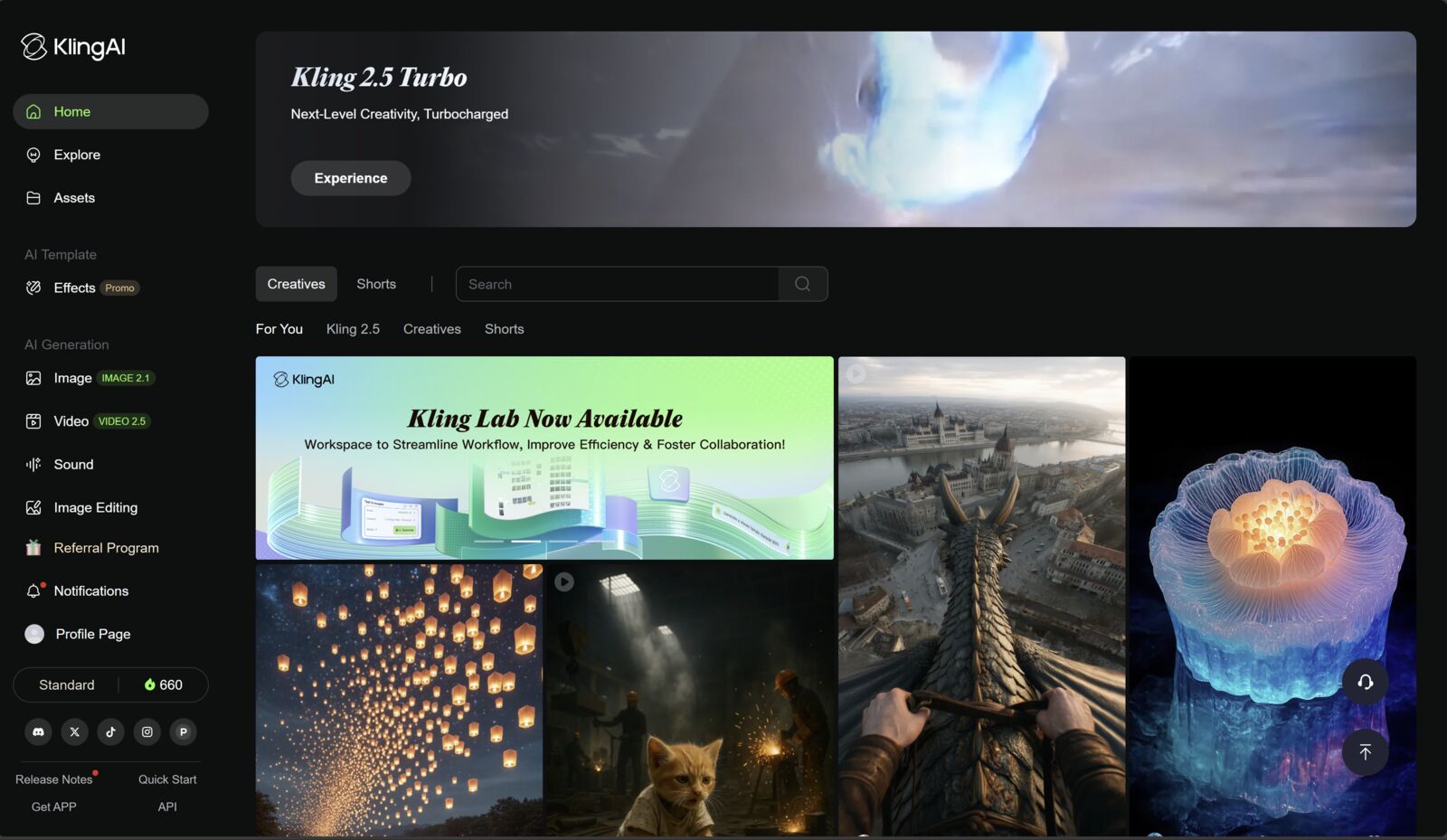
Latest Kling AI demos and updates
Official walkthroughs, model updates, and production examples.
What you can do with Kling AI
Generate cinematic video clips, animate images, control camera movement, and produce production-ready content without a shoot.
Text to Video
Describe any scene, character, or action in natural language. Kling 3.0 renders realistic motion, lighting, and depth in up to 1080p HD.
Image to Video
Upload a photo or illustration and Kling animates it with realistic movement, physics-aware motion, and style consistency.
Camera Control
Define precise camera trajectories: pan, tilt, zoom, push-in, orbit, or crane. Cinematic framing without physical equipment.
Native Audio & Sound Design
Generate ambient sound and add AI-assisted audio to your clips. Combine with voiceover from ElevenLabs for a complete production stack.
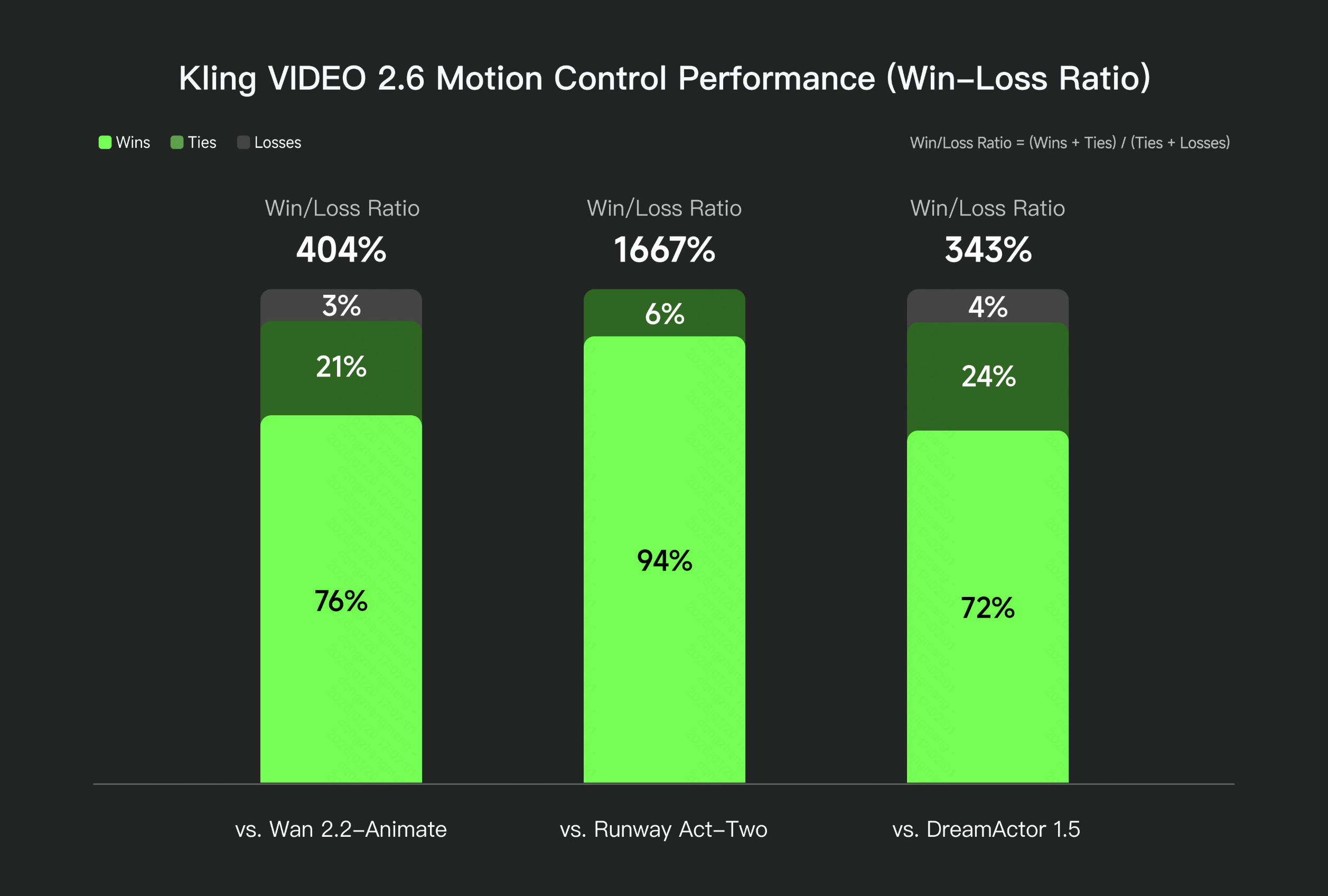
Camera control in action
Kling's motion control system achieves a 1667% win-loss ratio against Runway Act-Two in independent benchmarks. Pan, tilt, zoom, push-in, orbit, and crane—defined in the prompt, rendered precisely.
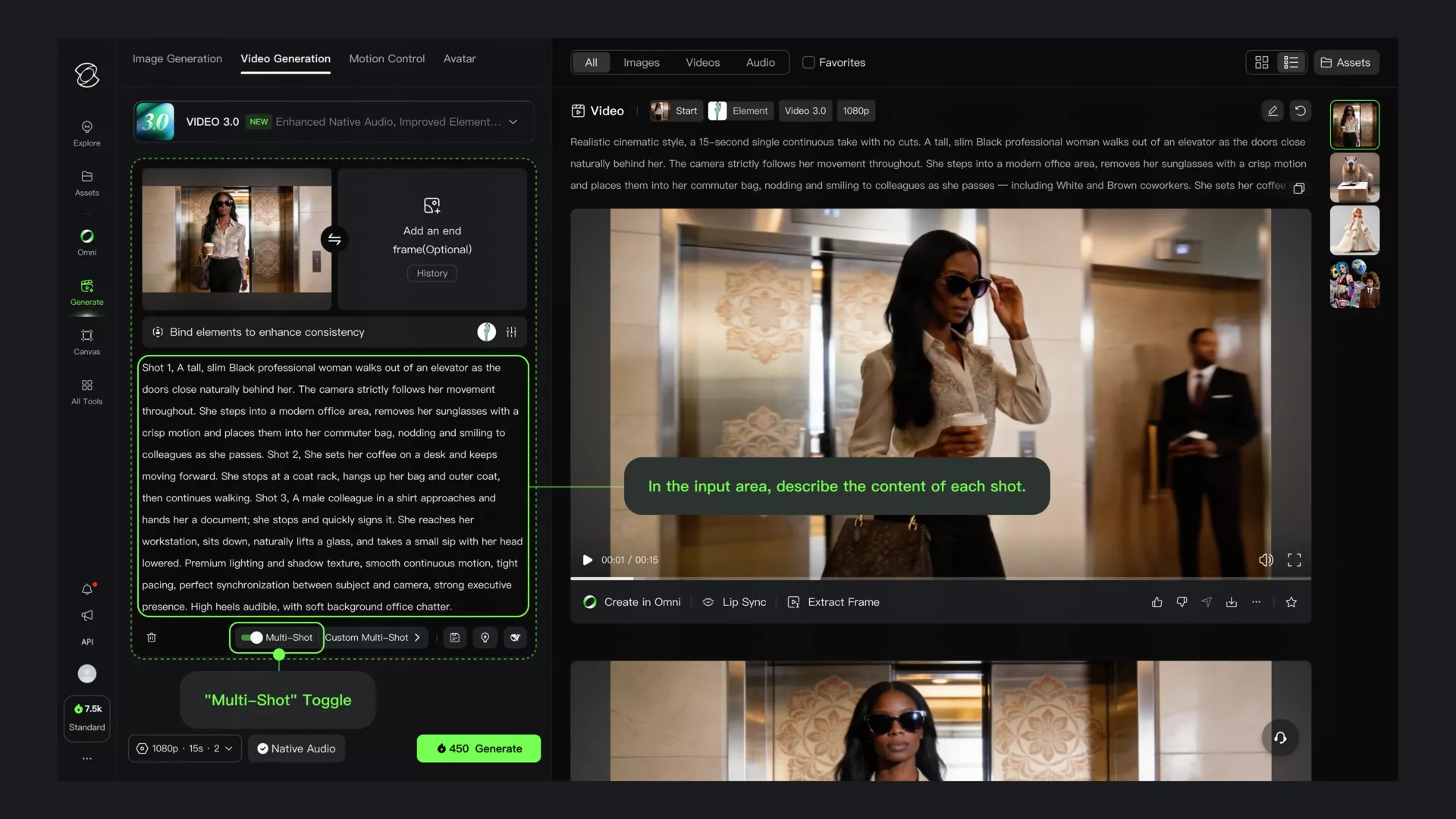
Multi-Shot: sequence control
The Multi-Shot toggle lets you describe multiple camera shots in a single generation. Script the sequence in the text area—Kling renders each shot with consistent characters and visual continuity.
Where Kling AI shines
For creators, e-commerce brands, agencies, and learning studios that need compelling video without a film crew.
- YouTube creators — Generate b-roll, hooks, transitions, and visual sequences to enrich long-form content without extra shoots.
- E-commerce brands — Concept product shots, lifestyle scenes, and ad variations that test messaging before committing to production.
- Marketing agencies — Rapid iteration on creative directions: style, mood, pacing, and visual language across multiple campaigns.
- Course creators — Illustrate abstract concepts, demonstrate processes, and create visual metaphors for complex topics.
- Social media teams — Produce Shorts, Reels, and TikToks with generated clips, custom motion, and format-specific output.
- Game & entertainment — Pre-visualize sequences, concept character motion, and generate stylized scene references quickly.
From prompt to published clip
Write, generate, refine, and publish—with voiceover and captions added in post for a complete production stack.
Craft a clear prompt: subject, action, style, lighting, and camera direction. Specificity drives quality.
Run Kling 3.0 in 720p or 1080p. Generate 3–5 variations and keep the best iteration.
Adjust camera control, extend clips, or animate a source image for tighter creative control.
Export your clip, add ElevenLabs voiceover and Pictory captions, then deliver to your channel or client.
Image-to-video demos
Real Kling AI outputs from the image-to-video workflow. Use these examples to calibrate prompt expectations.
Latest model with enhanced motion quality and character consistency.
High-resolution output with multiple aspect ratios: 16:9, 9:16, 1:1.
Pan, tilt, zoom, orbit, crane—cinematic framing with no physical crew.
Transparent pricing: pay per second of video at the quality you need.
Plans and credit costs
Kling uses a credit system. Costs vary by model, resolution, and features like native audio. Affiliates earn commissions per the official program terms.
| What to highlight | Details |
|---|---|
| Free tier | Daily free credits for testing; keeps bounce low for cold traffic. |
| Standard plan | Monthly credit allowance for regular creators and small teams. |
| Pro plan | Higher credit pool, priority generation, and access to premium models. |
| Premier plan | Maximum credits, fastest queue, and enterprise-level output volume. |
| Credit costs (Kling 3.0) | 1080p + native audio: 12 cr/s — 720p + native audio: 9 cr/s — 1080p (no audio): 8 cr/s — 720p (no audio): 6 cr/s |
| Affiliate | Commissions per official terms; verify current rates in your affiliate dashboard. |
Compare your options for AI video production
How Kling AI stacks up against traditional video production and other AI video generators.
| Criteria | Kling AI | Traditional video shoot | Basic AI video tools |
|---|---|---|---|
| Output quality | 1080p, cinematic motion, Kling 3.0 | Depends on crew and equipment | Often lower fidelity, generic stock |
| Turnaround | Seconds to minutes per clip | Hours to days including post | Minutes, but limited control |
| Camera control | Pan, tilt, zoom, orbit, crane trajectories | Full physical control | Usually absent or basic |
| Image to video | Animate any still with realistic physics | Requires motion graphics team | Rare or very limited |
| Creative iteration | 3–5 variations in minutes | Expensive reshoots | Some, but less control |
| Getting started | Free credits + paid plans | Equipment + location + talent costs | Varies by tool |
Ready to promote Kling AI?
Send qualified traffic to the official signup and align your content with the real capabilities above.
FAQs
Kling uses a credit system. You buy or earn credits, then spend them per second of video generated. Costs vary by resolution (720p vs 1080p), model version, and features like native audio.
Kling 3.0 is the latest generation model as of 2026. It delivers enhanced motion realism, better character consistency, and higher-quality outputs compared to previous versions.
Yes. Kling offers daily free credits to test the platform. This is enough to evaluate output quality before choosing a paid plan.
Yes, subject to Kling's terms of service. Always verify commercial usage rights in the current terms before publishing for clients or monetized channels.
Kling supports clip generation typically in 5-second and 10-second segments. You can chain clips in post-production to build longer sequences.
Next steps
- Home
- Blog: guides & updates
- Kling AI review 2026: full test and workflow
- Kling AI pricing (2026): credits, plans and real cost
- Kling AI text-to-video (2026): prompt to cinematic clip
- Kling AI image-to-video (2026): animate any still
- Kling AI for YouTube (2026)
- Kling AI alternatives (2026): when to compare
- Add Pictory AI for the video editing layer
- ElevenLabs guide: add voiceover to your Kling clips